First Game
Welcome to my first Unity game!
I started learning Unity around a month ago during my break between jobs. I'm already an experienced software engineer, so picking up a bit of C# was not hard. I'm also a composer, so I had a go at composing some loopable BGM for this game, inspired by Mega Man 2.
Nothing was particularly hard to implement -- ChatGPT helped in most cases. Other than that, this tutorial
really helped me create the ball of plasma I had imagined. I'm slowly getting the intuition for Shader Graph. It's not very hard if you think about the individual vertices, get a hang of local/global coordinates, and understand what motion/colouration you want to give to these pixels:

Otherwise, I read up on Unity coding best practices. I'm glad to see that the dependency inversion principle is also popular in this world. I organised things in such a way that there's a central GameManager, which is responsible for starting the game, keeping track of the score, etc, and then underneath there are servant classes like UIController, EnemyController, PlayerController, etc. In general, any servant class can only inform its superiors that something happened via an event, and GameManager can control all the servant classes directly by holding a reference to them. I think this approach led to quite clean code:
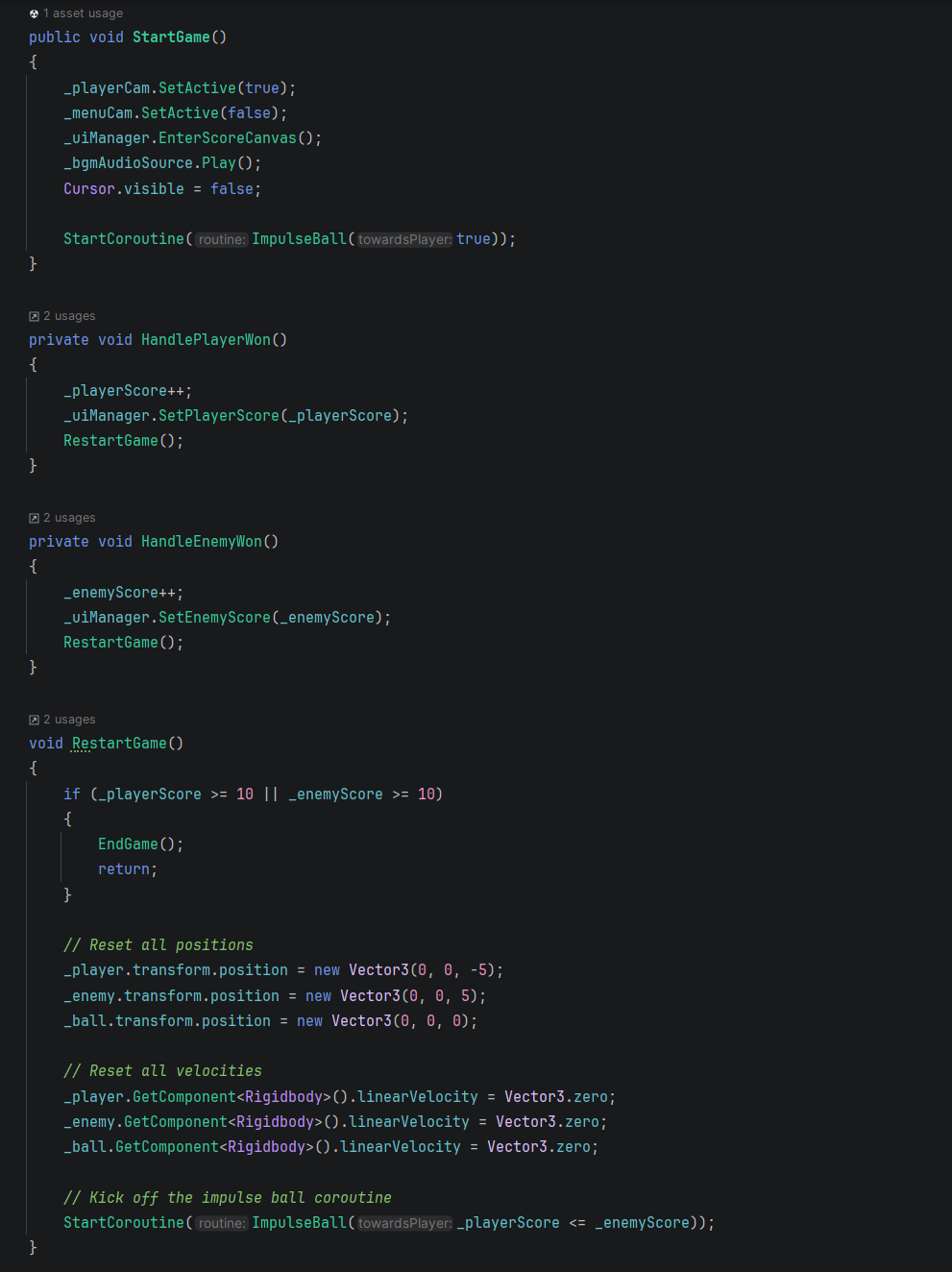
If the game were bigger, I probably would've also created an AudioController, responsible for all the sound, but I absorbed this responsibility into the GameManager for now.
Another great lesson is that if you want to make the game fun, you don't actually need to simulate real-life physics. By using real physics, the ball wasn't really bouncing in a satisfactory way, so I implemented a reflection mechanism manually and enforced a minimum speed upon reflection:

Exposing most parameters as serialized fields has been great for final adjustments. I specifically allocated some time in the end to tweak the parameters and make the game more fun:
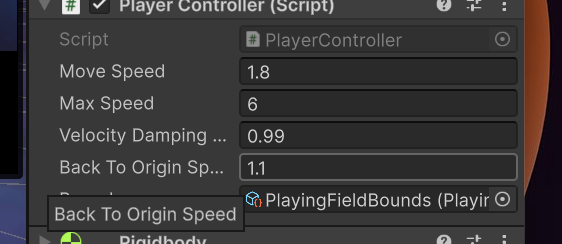
For simplicity, I didn't add a way to change the difficulty. It would've been quite easy. Choose Easy, Medium, Hard in the menu, and that sets a different speed parameter for the Enemy. A sluggish enemy would be easier to defeat.
For the `Start Game` button dimming, I couldn't really find an easier way to implement that apart from writing a custom script. Seems overkill, but it works. Surprisingly, took almost an hour with ChatGPT, but it's only because I don't have any experience working with `TextMeshPro` and `Color` programmatically.

I've been looking for a place to store the playing field ranges as constants, and initially I thought about having a class with static constants. However, I've been advised to use `ScriptableObjects` for this. Now I have a separate file with constants that could've just been static. Why have a ScriptableObject for a class that's only going to have one instance? There will be no other fields with different `xRange` and `yRange` variables. Confused. I think I'll ignore this advice in this particular case and just have static constants in the future for this:

Overall, great first experience! Took about 2 working days overall to complete this. Next up, I want to finish the Creative Pathway course on Unity's website and then make a cinematic-looking horror walking simulator.
Leave a comment
Log in with itch.io to leave a comment.